In this article
To make a game with AI, describe one small playable loop, generate a first version, and check its rules before adding more content. Begin with one short idea rather than quests, crafting, and multiplayer; the cat-and-stars example below shows what to request and how to check it.
Make a game with AI: choose a small first loop
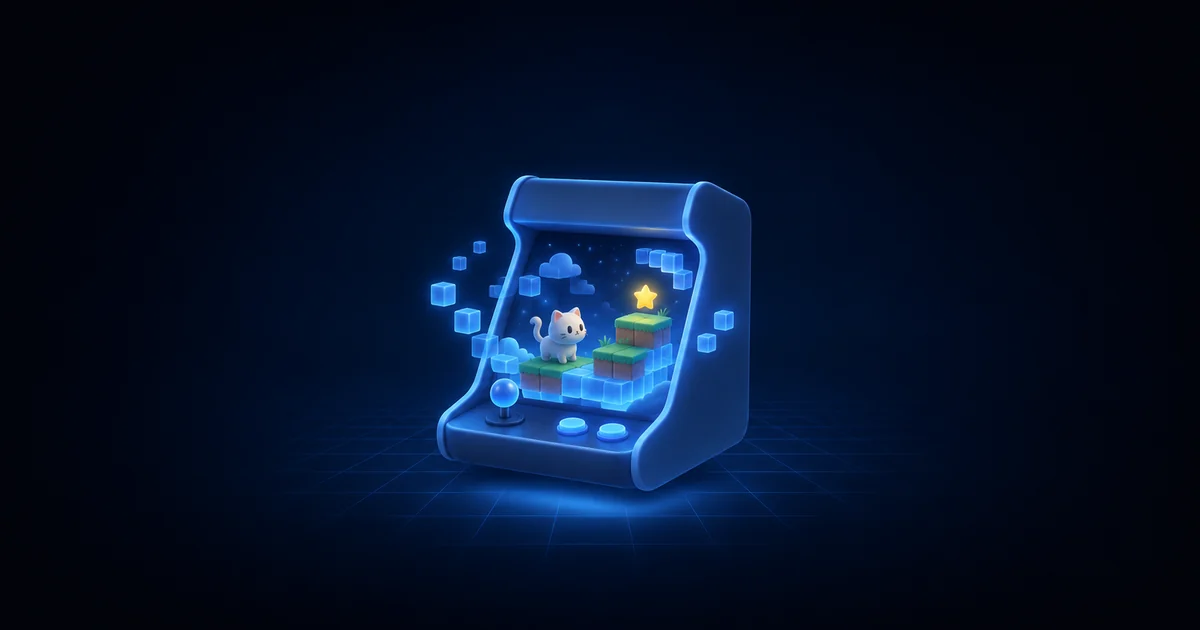
Start with one screen, one player action, and one clear objective. For our example, the player moves a cat left and right to catch stars while avoiding falling blocks. The interesting choice is whether to chase a star or stay out of a block's path.
Keep the first project in 2D. This is a scope choice, not a restriction on what AI can build; the Godot beginner tutorial also recommends starting in 2D before taking on the extra complexity of 3D.
Write a tiny design contract before opening an AI game generator. The values below are proposed settings for this example, not measured best practices or promises about difficulty.
| Decision | First version |
|---|---|
| Player action | Move left and right along the bottom of the screen |
| Desktop controls | Left/right arrows or A/D |
| Phone controls | Two large on-screen direction buttons |
| Goal | Catch 8 stars before a 60-second timer ends |
| Failure | Lose all 3 hearts, or run out of time |
| Damage rule | One heart per collision, followed by 1 second of protection |
| Restart | Restore time, hearts, score, positions, and falling objects |
| Later, not now | Shops, accounts, extra levels, and online leaderboards |
There are two useful meanings of “loop.” The design loop is the repeated choice to catch or dodge. The technical loop processes input and updates what appears on screen; MDN's game anatomy guide explains that underlying cycle. You can specify the behavior without writing that code yourself.
Give the first prompt a finish line
Ask for the smallest complete round, including its ending and restart. A moving character is only part of the request: the player also needs to understand the controls and see whether the round succeeded.
If you want to make a game without coding, paste this brief into Gamentic's game maker. It is an example specification to try, not a tested result or a guarantee of a correct first build.
Try this prompt in Gamentic
Create a small 2D browser arcade game about an orange cat catching falling stars and dodging purple blocks. Use one screen. The cat moves horizontally along the bottom with Left/Right arrows or A/D; on phones, provide two large left/right buttons. Releasing a key or touch stops movement, and the cat stays inside the playfield. Start each round with 3 hearts, 0 stars, and 60 seconds. Catching 8 stars wins; zero hearts or time running out ends the round in a loss. Each block collision removes one heart, then gives 1 second of protection with a visible blink. Start with one falling star every 2 seconds and one falling block every 1.5 seconds; keep their fall speeds constant for this prototype. Spawn objects within reachable horizontal bounds. Show the goal and controls before Start, and show hearts, stars, and time during play. Add Pause/Resume, sound on/off, and a result screen with Restart. Restart must reset the timer, hearts, score, cat position, objects, and held-input state. Pause automatically when the game loses focus, clear held input, and wait for Resume. Use simple readable art. Leave out shops, accounts, extra levels, and online leaderboards. Expose movement speed, fall speeds, and spawn intervals as tunable values.
The first job is to check the agreed rules. Keep the initial art simple enough that a falling block and a collectible star are easy to tell apart, even with sound turned off.
Test the round, not just the opening screen
Try to break each rule deliberately, and record the actual result beside the expected one. “It loads” is a useful check, but it says little about the second round or the phone controls.
A restart should restore the whole round, not just move the cat back. In the schematic below, watch the time bar, life lights, collected-star markers and loose objects return to their starting state together.
Use this acceptance sheet on the generated build. These are tests to perform, not tests already passed by the example.
| Action | Expected result |
|---|---|
| Start and wait without touching a control | Timer advances; cat stays still |
| Hold left, then release | Cat moves left, stops at the boundary, then stops on release |
| Catch a star | Counter increases once; that star disappears |
| Touch a block | One heart disappears; the protection period prevents immediate repeated damage |
| Catch the eighth star | Win screen appears; the round stops |
| Lose all hearts or let time expire | Loss screen appears; the round stops |
| Pause, wait, then resume | Time and falling objects remain frozen during the pause |
| Hold a direction, switch away, then return | Game is paused; after Resume, movement waits for fresh input |
| Restart after both a win and a loss | Fresh timer, 3 hearts, 0 stars, and no objects or inputs carried over |
| Press, slide off, and release a phone button | Movement ends; no stuck direction |
If you see a failure, save a short reproduction: device, action, expected result, actual result. For example: “On my phone, I hold Right and slide my finger away before lifting it. The cat keeps moving. It should stop when the touch ends.” That is more actionable than “mobile is broken.”
For the input check, a touch ending and a browser canceling a gesture are separate cases: MDN documents both pointerup and pointercancel in its pointer events reference. Ask for both to clear a held direction, then test them on the target device.
Separate a bug fix from a design change
A bug breaks your written rule; a design change replaces a rule that works but feels wrong. Fixing a stuck button and slowing down the blocks are different tasks. Keep them separate so you can judge each change.
For a restart bug, a focused follow-up could be: “After I lose and press Restart, the old blocks remain. Clear every falling object and restore the initial round state on Restart. Keep the artwork, controls, speeds, and scoring rules unchanged. Check Restart after both a win and a loss.” Use this wording only if it matches what you observed.
For difficulty, choose a small experiment. If the cat feels too slow, change only its movement speed and replay the same test. If the screen feels crowded, change the block-spawn interval instead of changing speed, hearts, and timer together.
Gamentic's product page describes an Inspector for values the AI has marked tunable, with slider changes that do not spend credits. Check which values your build actually exposes rather than assuming every requested control is present.
Share only after testing the shared version
Open the actual play link on the device you expect someone else to use. Test a complete round there, including its restart; a successful editor preview is not the same check. The documentation is the place to check the platform's editor and sharing workflow.
Ask a tester one concrete question: “Before you pressed Start, what did you think you had to do?” Then watch without coaching. If the player confuses blocks and stars, change the shapes or instructions before adding more content.
Keep one next-change note after each test: the observed issue, the single change you made, and whether the same issue still appears. Add another level only after the original round behaves as intended.
FAQ
Do I need programming experience?
You can describe this prototype in plain language in an AI game maker. You still need to choose the rules and inspect the result. Learning basic concepts such as input, collision, and game state helps you describe problems more precisely.
Can I start for free?
Gamentic currently lists a Free plan with a recurring credits allowance. Generation and AI changes use credits; slider tuning is free. Check the current pricing page for allowances and restrictions instead of assuming unlimited generation.
What if the first version looks good but plays badly?
Return to the acceptance sheet. Fix a rule that fails first; then make one design adjustment and test again. More artwork is a separate decision from repairing the controls or restart behavior.
Should my first project include multiplayer?
For this exercise, keep it single-player. Finish the small round first, then write a separate brief for multiplayer, including how players join and what happens when someone disconnects.
Make your own game with AI
Describe a game in one sentence. Gamentic's AI writes the code, draws the art and adds the sound, then you fine-tune how it plays in the editor. Free to start.